

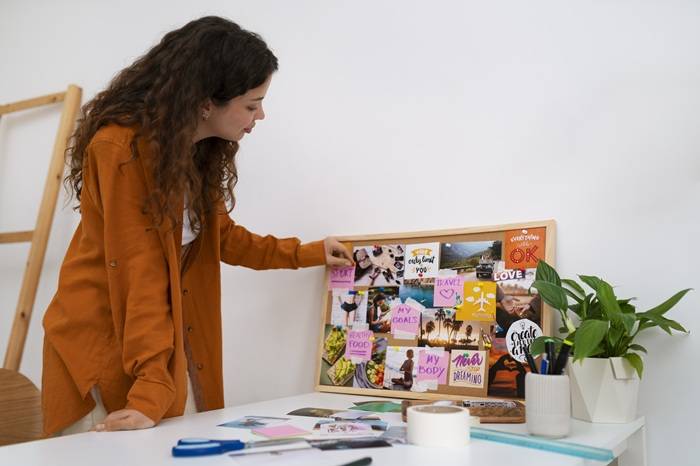
Most social media content fails before it ever gets published. Not because the idea is bad, but because the planning process is scattered. You have reference images saved in one app, color palettes bookmarked in another, caption ideas buried in your notes, and a vague sense of “the vibe” living somewhere in the back of your mind. Mood boards solve that problem by putting all of your creative direction in one place before you ever open a design tool.
Milanote has become a go-to platform for creatives, marketers, and content teams who want to visually organize their ideas. It offers a flexible, drag-and-drop workspace where you can collect images, notes, links, and color swatches to build a mood board that reflects your content vision. Combine that with the right set of social media post templates, and you have a workflow that makes producing cohesive, on-brand content much faster and more consistent.
This article covers how to get the most out of Milanote’s mood board features for social media planning, which platforms work well alongside it, and practical tips for turning a mood board into polished, ready-to-publish posts.
What Is a Mood Board and Why Does It Matter for Social Media?
A mood board is a visual collection of references, colors, textures, typography, and imagery that defines the look and feel of a creative project. In social media terms, it serves as a visual brief that guides every piece of content you produce for a campaign, account, or brand.
When you build a mood board before creating your posts, you save time making micro-decisions during the design phase. Instead of asking yourself “does this image feel right?” every time you drop something into a template, you already have a clear visual direction to reference. This is especially valuable for content creators managing multiple clients, brands, or platforms at once.
Milanote makes this process accessible because it is built specifically for visual thinkers. Unlike a spreadsheet or a text-heavy project management tool, Milanote’s canvas lets you arrange and rearrange elements freely, so your mood board can grow and shift as your ideas develop.
Getting Started With Milanote for Social Media Mood Boards
Milanote offers a library of pre-built templates for different creative projects, including brand boards, content planning boards, and campaign mood boards. When you are planning social media content, the best starting point is either a content planning template or a blank board that you customize for your specific platforms and goals.
To begin, open a new board and start by defining the core visual elements of your content series or campaign. That means selecting a color palette, pulling in font references, gathering inspiration images that reflect your intended aesthetic, and writing brief notes about the tone and messaging you want to maintain. All of this lives in one shareable, visual workspace that your team or client can view and contribute to in real time.
Once the foundational elements are in place, you can build out sections of the board that correspond to specific platforms. For example, you might have one section for Instagram grid posts, another for Stories, and a third for LinkedIn or Pinterest. This makes it easy to see at a glance whether your content is visually consistent across all channels.
10 Tips for Using Mood Boards to Create Better Social Media Post Templates
1. Start With Your Brand Colors and Typography
Before you add a single inspiration image to your mood board, lock in your color palette and font choices. These two elements will do more to unify your content than anything else. In Milanote, you can add color swatches directly to the board and label them with hex codes so anyone on your team can reference them when building post templates.
Typography is equally important but often overlooked in social media planning. Note which fonts you are using for headlines, captions overlays, and graphic text. If your brand uses a specific system font for accessibility reasons, document that on the board as well.
2. Collect Platform-Specific Dimension References
Social media platforms have different aspect ratio requirements, and designing to the wrong dimensions is one of the most common mistakes in content creation. Add a reference note to your Milanote board that lists the correct dimensions for every platform you are posting on.
For example, Instagram feed posts perform best at 1080 x 1080 pixels for square or 1080 x 1350 pixels for portrait. Stories and Reels are 1080 x 1920 pixels. LinkedIn posts use slightly different proportions than Instagram. Having this information embedded in your mood board means you never have to stop mid-workflow to look it up.
3. Group Inspiration by Content Pillar
Most social media strategies rely on content pillars, which are the recurring themes or categories that define what an account posts about. If your brand posts about education, behind-the-scenes content, product features, and community highlights, those are four distinct pillars.
In Milanote, you can create labeled sections within a single board for each pillar. Drop your inspiration images, reference screenshots, and notes into the relevant section. This structure makes it much easier to build templates that reflect each pillar’s distinct tone while still feeling cohesive under one brand umbrella.
4. Save Competitor and Industry Reference Posts
One of the most valuable things you can do during mood board creation is gather reference examples from accounts you admire. This is not about copying; it is about understanding what visual approaches resonate with your target audience and what gaps exist in your niche that you could fill.
Use Milanote’s web clipper to save screenshots or links directly to your board. Annotate them with notes explaining what specifically appeals to you, whether that is the use of white space, the color contrast, the way text is layered over imagery, or the consistency of the grid layout.
5. Use Mood Board Color Palettes to Build Template Variations
Once your color palette is established on the mood board, create two or three template variations using those colors in different arrangements. A light background version, a dark background version, and a high-contrast accent version give you flexibility without straying off-brand.
This approach is especially useful for maintaining visual variety on an Instagram grid. Alternating between your template variations keeps the feed from feeling repetitive while still looking intentional and cohesive from a distance.
6. Combine Images Thoughtfully for Collage-Style Posts
Collage-style posts and layered image compositions are among the most engaging formats on platforms like Instagram and Pinterest. They work especially well for product roundups, before-and-after reveals, and aesthetically driven brand accounts.
When you are ready to move from planning to production, tools like Adobe Express make it easy to take the visual direction from your mood board and execute it at a high level. Specifically, the ability to combine images lets you layer and arrange multiple photos into a single compelling post without needing advanced design skills. This is a natural next step once you have your mood board locked and know exactly what visual story you want to tell.
7. Map Out a Posting Rhythm Before You Build Templates
Before you finalize any template, think about how often you plan to post and in what sequence. A posting rhythm gives you a framework for how many templates you actually need. If you post five times a week, you might need three to four unique template styles to avoid repetition while keeping production manageable.
Document this rhythm directly in Milanote. You can use a simple notes card or a linked board that maps out a monthly calendar view. Seeing your posting schedule visually alongside your mood board helps you plan variety into the content from the start rather than realizing mid-month that your last twelve posts all look identical.
8. Include Text Overlay Mockups in Your Mood Board
Typography on images is one of the trickiest elements to get right in social media design. The font style, size, color, and placement all interact with the background imagery in ways that can either elevate or undermine a post.
Before you commit to a template layout, create a few rough text overlay mockups directly in Milanote or in a design tool and then add the preview images to your board. Test dark text on light backgrounds, light text on dark backgrounds, and semi-transparent overlays. Document which combinations felt most readable and on-brand so you have clear guidance when building your actual templates.
9. Build a Hashtag and Caption Style Guide Alongside the Visual Board
The best social media mood boards extend beyond visuals to include brand voice elements. Add a section to your Milanote board for caption style guidelines. This might include things like your preferred tone (conversational, authoritative, playful), whether you use emojis and how many, how you structure calls to action, and which hashtag clusters you use for different types of posts.
Having this information on the same board as your visual references creates a single source of truth for your content strategy. When collaborating with a team, this dramatically reduces back-and-forth and ensures that both the design and the copy stay aligned with the overall direction.
10. Revisit and Update Your Mood Board Seasonally
A mood board is not a one-time deliverable. Trends in social media aesthetics change quickly, and your brand identity can evolve over time. Building a habit of revisiting your mood board every quarter keeps your content strategy fresh and relevant.
During each review, look at which posts performed best and compare them to your original mood board references. If the top-performing content consistently leans in a direction that differs from your initial vision, update the board to reflect that learning. A living mood board is far more valuable than a static one.
Which Platforms Work Well for Creating Mood Boards and Social Media Post Templates?
Several platforms on the market offer tools for mood board creation and social media design, though they approach the problem in different ways. Milanote stands out specifically for the ideation and planning phase. Its infinite canvas, flexible card-based system, and collaborative features make it ideal for the early stages of content development, from capturing raw inspiration to building organized visual briefs.
For the design execution phase, platforms like Adobe Express offer a complementary set of tools. Adobe Express provides a library of professionally designed social media post templates that are organized by platform and format, along with robust editing tools for typography, color, and image manipulation. The integration of Adobe Stock imagery and AI-powered features makes it a strong choice for moving from a finalized mood board into polished, publishable content.
Pinterest is another platform worth mentioning in this context. While it functions more as a social discovery tool than a dedicated mood board builder, many creators use Pinterest boards as a visual research layer before moving their curated references into Milanote for more structured planning. The combination of Pinterest for discovery, Milanote for organization, and Adobe Express for production covers the full content creation cycle effectively.
FAQ
What makes Milanote different from other mood board tools?
Milanote is designed specifically with visual creatives in mind, and that focus shows in how the platform is built. Unlike general project management tools that bolt on visual features as an afterthought, Milanote’s core interface is a freeform canvas where images, notes, links, and other elements can be arranged organically. It supports real-time collaboration, which makes it particularly useful for client presentations and team-based content planning. The platform also offers a library of pre-built templates for common creative workflows, including content planning, brand identity, and campaign mood boards, so you do not have to start from a blank canvas every time. Milanote operates on a freemium model, making it accessible for independent creators and small teams who want a dedicated visual workspace without a large budget commitment.
Can I use mood board templates directly as social media post templates?
Not directly, but the relationship between the two is close and intentional. A mood board template establishes the visual rules that your post templates will follow. Think of the mood board as the foundation: it defines your color palette, typography, imagery style, and overall aesthetic direction. Your post templates are the execution layer, where those rules are applied to specific formats and dimensions for each platform. The most efficient workflow is to finalize your mood board first, then use those defined elements to build or customize post templates in a dedicated design tool. This two-step approach ensures that every template you create is rooted in a coherent visual strategy rather than built in isolation.
How do I maintain visual consistency across multiple social media platforms?
Visual consistency across platforms comes from having a well-documented brand style guide and a mood board that clearly articulates your core design choices. The most important elements to standardize are your color palette, typography, and image treatment (which refers to how you edit, filter, or stylize your photos). Once those are defined, you can adapt them to each platform’s specific format requirements without losing brand recognition. For example, your Instagram post might use a square crop with one typographic treatment, while your Pinterest pin uses a vertical format with slightly different spacing, but both should feel like they come from the same brand family because they share the same palette, fonts, and image style.
What is the best way to share a Milanote mood board with clients or collaborators?
Milanote makes sharing straightforward through both invite-based collaboration and shareable links. For client presentations, the shareable link option is often the cleanest approach because it allows the client to view the board in a read-only format without needing to create a Milanote account. For ongoing team collaboration, inviting contributors directly gives everyone editing or commenting access depending on the permissions you set. When presenting a mood board to a client, it helps to walk them through the board section by section rather than sharing the link cold. You can also export the board as a PDF for clients who prefer a static document. For teams that want to record a guided walkthrough of a mood board for async client review, tools like Loom make it easy to record a narrated screen capture of your board, share it via a single link, and let clients leave timestamped comments without needing to schedule a live meeting.
How many images should a social media mood board include?
There is no single right number, but a focused mood board of 15 to 30 images tends to be more useful than one with hundreds of references. The goal is to have enough visual information to clearly communicate the aesthetic direction without creating so much noise that the key references get lost. Quality and intentionality matter more than quantity here. Each image on the board should earn its place by contributing something specific to the overall direction, whether that is a particular color, a compositional approach, a lighting style, or a typographic treatment you want to emulate. When a mood board grows too large, it often signals that the creative direction has not been sufficiently narrowed yet. If that is the case, the most productive step is to pull the board back to only the images that feel truly essential and use those as the anchor for your template development.
Building a More Intentional Social Media Presence Starts With Better Planning
Mood boards have always been a staple of professional creative workflows, but tools like Milanote have made them accessible to solo creators, small businesses, and content teams of any size. The visual, drag-and-drop approach matches how most creative people actually think, and the collaborative features make it easier to align teams and clients around a shared visual direction before a single post gets designed.
The most consistent social media accounts are not the ones with the biggest budgets or the most sophisticated design skills. They are the ones with the clearest creative direction, documented and revisited regularly. A well-built mood board is the single most effective tool for establishing that direction, and pairing it with strong, customizable post templates turns a good creative vision into a reliable, repeatable content production system.