

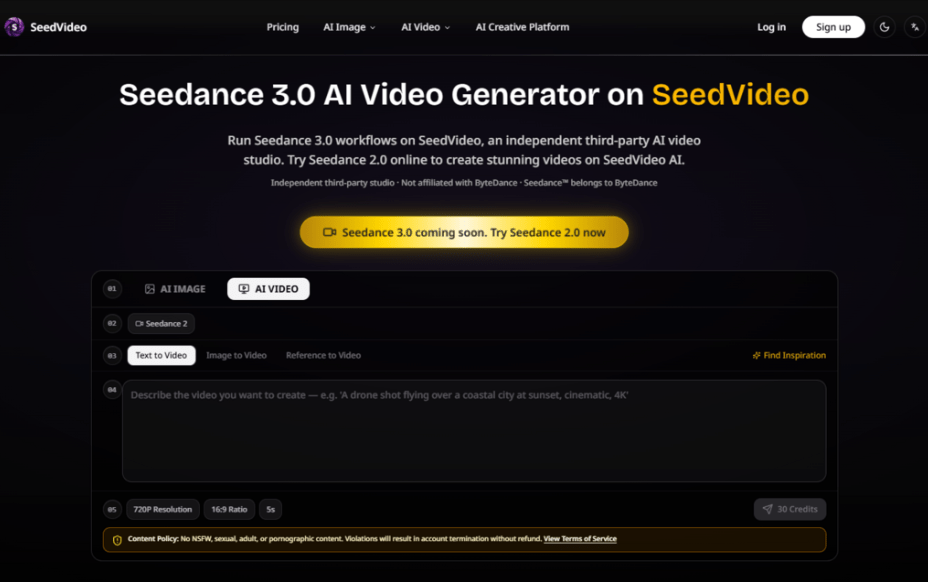
The race to dominate AI video generation has entered a new phase. Over the past eighteen months, we have watched text-to-image models mature into something genuinely useful, but video has remained the harder problem—consistency, physics, and narrative flow have all proven stubbornly resistant to automation. Then came the wave of foundation models that could generate a few seconds of plausible motion, and suddenly everyone was a director. The catch? Control. Most tools give you a prompt box and little else. You describe a scene, cross your fingers, and hope the output matches what you imagined. That gap between intention and execution has been the single biggest friction point for anyone trying to use AI video seriously. Enter Seedance 3.0, a platform that approaches the problem from a different angle: instead of asking you to write a better prompt, it asks you to bring your own visual references and then uses those as the foundation for everything that follows.
What makes this approach worth paying attention to is not just the underlying model capability—though that matters—but the workflow itself. The platform is built around the idea that the best way to communicate a visual idea is visually. Upload a photo of a character, and the model understands who that person is. Upload a reference video, and it learns the camera language you prefer. Then you layer natural language on top to direct the action. That three-part structure—reference, description, generation—turns out to be surprisingly intuitive. In practice, it feels less like wrestling with an AI and more like briefing a human creative team. And for anyone who has spent hours tweaking prompts to get a consistent character or a specific camera move, that shift is significant.
How the Platform Actually Works: A Walk Through the Creative Flow
The core loop is straightforward enough that you can grasp it within minutes of opening the interface. But the devil, as always, is in the details. The platform does not overwhelm you with sliders and technical parameters; instead, it guides you through a logical sequence that mirrors how a director might brief a storyboard artist.
Step One: Bring Your Visual References to the Table
Uploading Images, Videos, and Audio as Creative Anchors
The first move is to upload whatever visual or audio material you already have. This could be a character portrait, a location shot, a piece of reference footage with a specific color grade, or even an audio track that sets the mood. The platform accepts multiple file types, and you can build a small library of references for a single project. In my testing, uploading a few frames from a previous project immediately gave the model a much clearer sense of what I was after than any text description alone could have achieved. The model appears to extract not just surface features but compositional tendencies—lighting direction, depth of field, even the rhythm of cuts if you upload a short sequence.
What is particularly useful here is that you are not locked into a single reference. You can combine a character image from one source, a background from another, and a stylistic reference from a third. The model synthesizes these inputs into a coherent visual language for the output. From a practical user perspective, this makes the platform significantly more flexible than tools that force you to choose between a single image reference or a text prompt. The trade-off, of course, is that the quality of your output depends heavily on the quality and clarity of your references. Garbage in, garbage out remains the rule.
Step Two: Describe What You Want to See
Using Natural Language to Direct Action and Style
Once your references are in place, you write a prompt describing the scene you want to generate. This is where the platform’s distinctive feature comes into play: you can use the @ symbol to reference specific uploaded assets. For example, you might write “@image1 walks through a futuristic marketplace, camera movement similar to @video2.” The model understands that @image1 refers to a specific character you uploaded, and @video2 refers to a specific camera motion you want to replicate. This referencing system is deceptively simple but profoundly useful. It eliminates the ambiguity that plagues most text-to-video tools, where a description like “the main character” could refer to anything.
In practice, the referencing works best when your uploaded assets are clean and well-lit. A blurry reference image will produce a blurry character. A reference video with erratic camera movement will produce erratic results. The model seems to interpret references literally, which is both a strength and a limitation. It means you have precise control, but it also means you need to be deliberate about what you upload. During my sessions, I found that spending an extra five minutes curating my reference materials saved me at least twenty minutes of regeneration later.
Step Three: Generate, Review, and Iterate
Refining Outputs Through Editing and Extension
After you submit your prompt, the platform generates a video based on your references and instructions. The generation time varies depending on complexity and resolution, but the process is straightforward. What matters more is what happens next. You are not forced to accept the first output and move on. The platform supports iterative refinement: you can regenerate, tweak your prompt, adjust your references, or extend an existing clip. This iterative loop is where the platform really earns its keep for serious creators.
In my experience, the first generation is rarely perfect—and that is fine. The useful part is that you can make small adjustments and see immediate results. Want the character to turn left instead of right? Change the prompt. Want the lighting to be warmer? Upload a different reference image. The model responds to these changes with reasonable consistency, though the results may vary from one generation to the next. This is not a deterministic system, and you should expect some variability. But the ability to iterate quickly, without leaving the platform or re-uploading everything from scratch, makes the process feel productive rather than frustrating.
Beyond Generation: Editing and Enhancement Tools That Actually Add Value
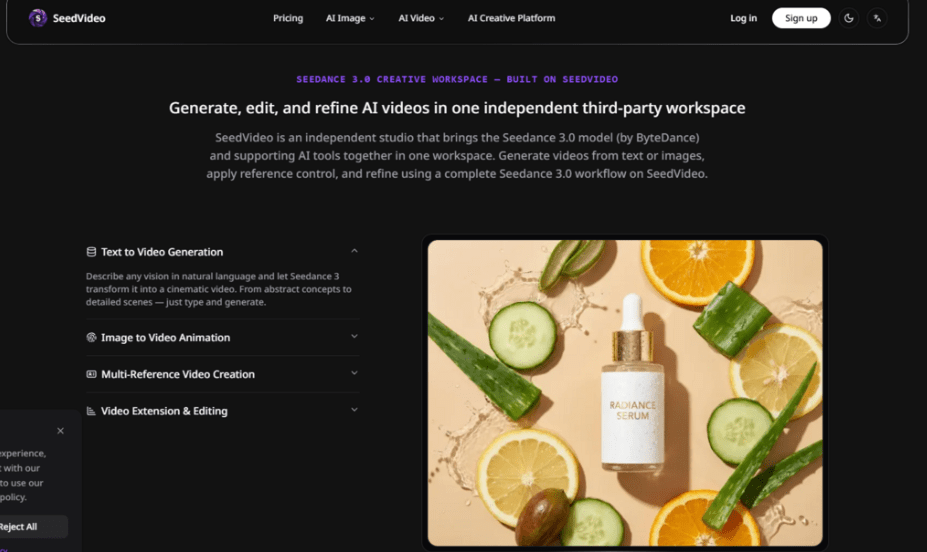
Generating a video is only half the story. The platform includes a suite of editing and enhancement features that turn raw outputs into finished assets. These tools are not afterthoughts; they are integrated into the workflow in ways that feel intentional.
Style Transfer and Visual Consistency
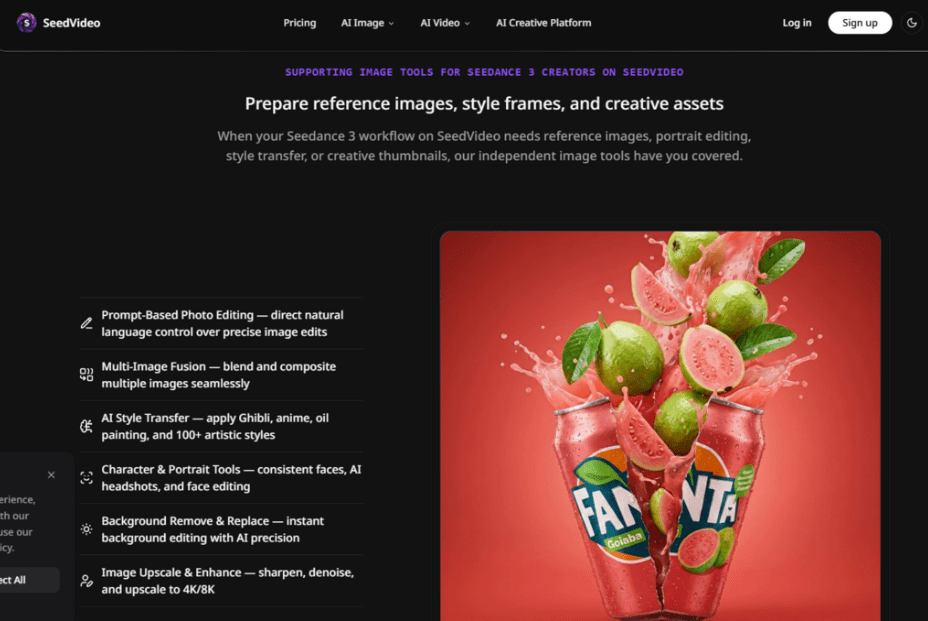
One of the more impressive capabilities is the AI style transfer, which lets you apply over a hundred different artistic styles to your generated video. This goes beyond simple filters. The model appears to re-render the video with the stylistic characteristics of your chosen reference, which can be useful for mood boards, concept art, or matching an existing brand aesthetic. The results are not always perfect—some styles work better with certain types of content than others—but when they work, they are striking.
Background Removal and Replacement
The background removal and replacement tool is another practical feature. It allows you to isolate subjects and place them in new environments, which is useful for product videos, interviews, or any scenario where you want to control the setting without reshooting. In testing, the edge detection was clean enough for most use cases, though complex backgrounds with fine details like hair or foliage sometimes required a second pass.
Upscaling to 4K and 8K
The upscaling capability rounds out the toolkit. You can take a generated video and increase its resolution significantly, which is valuable if you are working on a project that needs to look polished on larger screens. The upscaling does introduce some softening in fine details, as you would expect, but it is generally effective for improving the overall presentation of your work.
Who Is This Actually For? A Practical Breakdown by Use Case
The platform is not a one-size-fits-all solution, and that is okay. Different creators will find different parts of the workflow useful depending on their needs.
Content Creators and Social Media Teams
For creators who need to produce short-form video content regularly, the platform offers a repeatable process. You can establish a consistent visual style by reusing the same reference materials across multiple projects, which saves time and maintains brand coherence. The batch generation capability in the higher-tier plans is particularly useful here, as it allows you to generate multiple variations of a concept and choose the best one.
Marketing and Advertising Professionals
Marketing teams will appreciate the control over brand elements. If you have a specific product shot or a known spokesperson, you can upload those references and generate variations without reshooting. The ability to maintain character and style consistency across different campaigns is a significant advantage. However, the learning curve is real; you cannot simply hand this to an intern and expect professional results on the first try. It takes some experimentation to understand how the model interprets different types of references.
Digital Artists and Concept Designers
For artists exploring AI as a medium, the platform provides a sandbox for testing ideas quickly. The style transfer and reference-based generation open up possibilities for visual exploration that would be time-prohibitive with traditional methods. The trade-off is that the model imposes its own aesthetic tendencies, and not every artistic vision translates equally well. Some styles and subjects generate more reliably than others.
A Quick Comparison: How the Workflow Stacks Up
| Aspect | Seedance 3.0 Approach | Traditional Text-to-Video Tools |
| Entry Barrier | Requires some preparation of reference materials | Low barrier, but results are unpredictable |
| Creative Control | High, through visual references and @ referencing | Limited to prompt engineering |
| Consistency | More reliable for characters and styles | Often inconsistent across generations |
| Iteration Speed | Fast, with integrated editing tools | Slower, often requires starting over |
| Learning Curve | Moderate; references matter | Steep; prompt mastery takes time |
| Best For | Projects with existing visual assets | Exploratory or low-fidelity concepts |
Where the Platform Falls Short: Honest Limitations
No tool is perfect, and this one has its share of limitations. The most significant is that the quality of your output is directly tied to the quality of your inputs. If you upload low-resolution or poorly composed references, the model will produce low-resolution or poorly composed videos. The platform does not magically fix bad source material. It is a creative partner, not a miracle worker.
Another limitation is the variability in generation quality. Even with the same references and prompt, two generations can produce noticeably different results. This is inherent to the probabilistic nature of the underlying models, and it means you should budget time for multiple attempts. The platform’s iterative tools help mitigate this, but they do not eliminate it entirely.
Complex scenes with multiple characters, intricate physics, or fast motion can also be challenging. The model handles these scenarios with varying degrees of success. In my testing, simpler compositions with clear foreground-background separation generated more reliably than crowded, dynamic scenes. If your project requires complex action sequences, you may need to break them down into simpler shots and assemble them later.
Finally, the platform is not designed for real-time or interactive applications. Generation takes time, and the queue system means you cannot expect instant results during peak usage. For professional workflows where time is money, the priority queues in the higher-tier plans are worth considering.
The Bottom Line: A Serious Tool for Serious Creators
The AI video space is moving fast, and tools that offer genuine creative control are still rare. Seedance 3.0 AI Video Generator distinguishes itself not by making grand claims about replacing human directors, but by building a workflow that respects how creative people actually work. You bring your references, your vision, and your willingness to iterate. The platform handles the heavy lifting of generation, style transfer, and enhancement. The result is a partnership rather than a black box.
For creators who are tired of wrestling with prompts and praying for consistency, this approach feels like a step forward. It is not the easiest tool to pick up—you need to think about your references and be deliberate about your inputs—but the payoff in control and consistency is substantial. If you are already sitting on a library of visual assets, or if you have a clear vision that you struggle to articulate in text alone, this platform is worth your time. And if you are just starting out, the basic plan offers a low-cost way to test the workflow before committing to a larger subscription.
The future of AI video will belong to tools that give creators more control, not less. This platform is pointed in that direction. It has rough edges, and it asks more of you than a simple prompt box, but it also gives more back. In a field full of hype, that counts for something.